Pivot KDS
A calmer line starts with a clear board.
Tickets on the stations your team sets up.
Pivot KDS puts tickets on a screen instead of a paper rail. Your local Pivot team configures the stations and the routing, so the grill sees grill items and the pass can read the board.
- Station screens configured by your local team
- Color timers default to 1 minute and 2 minutes
- Orders from the counter, the handheld, and the online link
- Routing is part of setup, not a guess at service
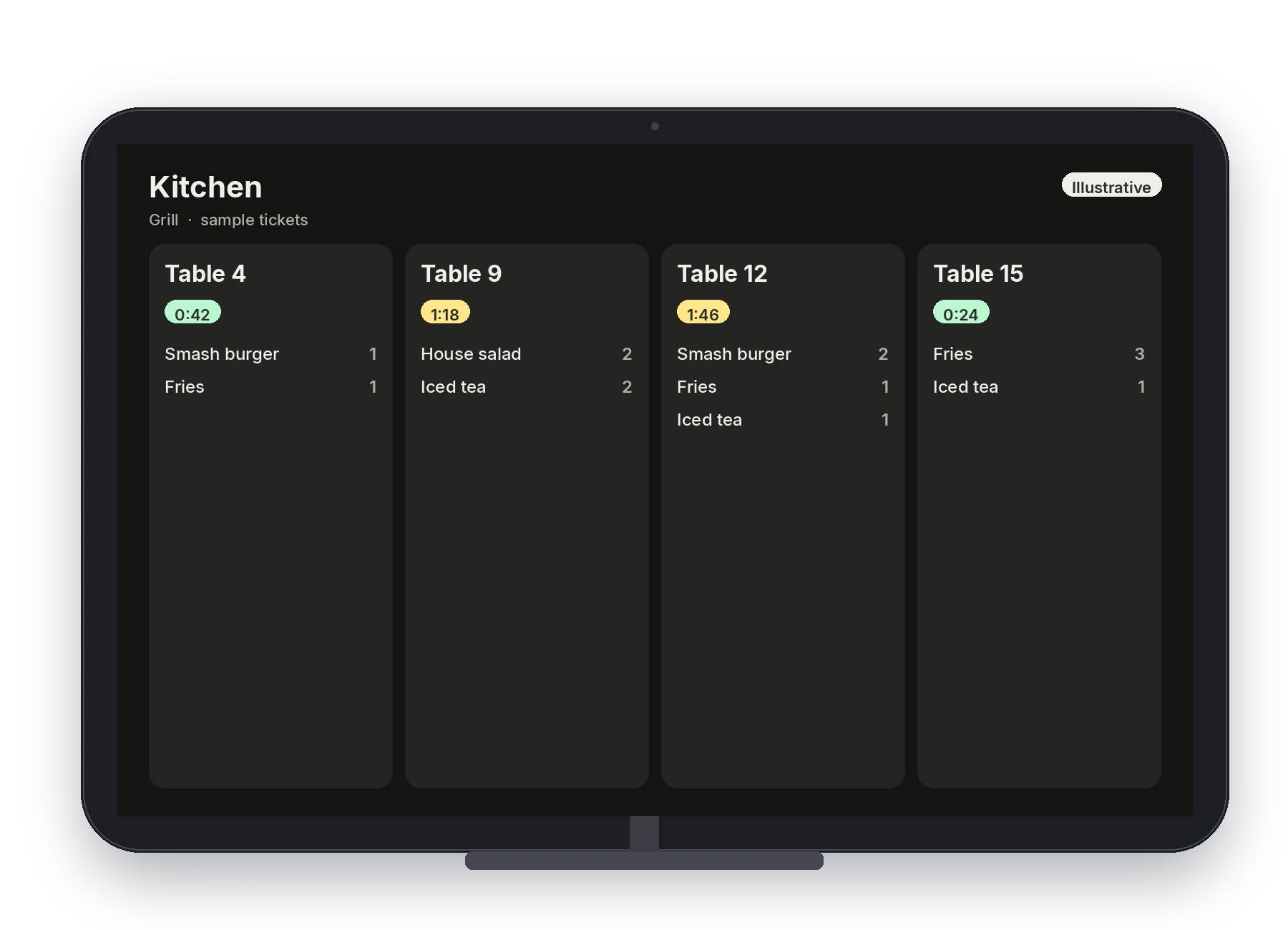
Illustrative · A sample kitchen board.
On this product
What your staff actually uses
Your local Pivot team builds the menu and the configuration, then walks the staff through it.
Stations your team configures
Your local team decides which screen shows which station, and which items route there.
Courses the line can read
Tickets can show the course structure so the line cooks in the order the table eats.
1- and 2-minute color timers
Ticket color shifts at the default 1-minute and 2-minute marks, so age is visible without reading every ticket.
Bump when it leaves
The line marks tickets as food goes out the window.
One board for the channels you use
Counter, handheld, and online orders are sent to the kitchen display your team configured.
A screen instead of a rail
The pass works from the board. Your local team trains the line on the bump during setup.
In service
From the fire to the pass
Tickets land on the station
The POS or handheld sends items to the screen your team assigned.
Color shows age
Timers move from the 1-minute mark to the 2-minute mark so the pass can see what is waiting.
Clear it when it leaves
Bump the ticket at the pass. The line was trained on this during setup.
Connected platform
The kitchen sees the orders you take
Orders from the counter, the Dejavoo P8, and the online ordering link are sent to the kitchen display.
- POS, Handheld, and Online Ordering send to the kitchen
- Routing is configured by your local team
- Color timers default to 1 minute and 2 minutes
- The menu on the ticket is the menu from Back Office
See the board with your stations.
Book a demo and a local Pivot team will map the line to your menu.