Pivot Online Ordering
A branded link for pickup orders.
Guests order from your link. The kitchen gets the ticket.
Pivot Online Ordering is a branded link for your menu. Guests browse and place a pickup order, and the order is sent to the POS and the kitchen. Online card payments are coming soon — your local team will confirm how guests pay today.
- Your menu on a branded link
- ASAP and scheduled pickup times
- Orders sent to the POS and the kitchen display
- Set up with your local Pivot team
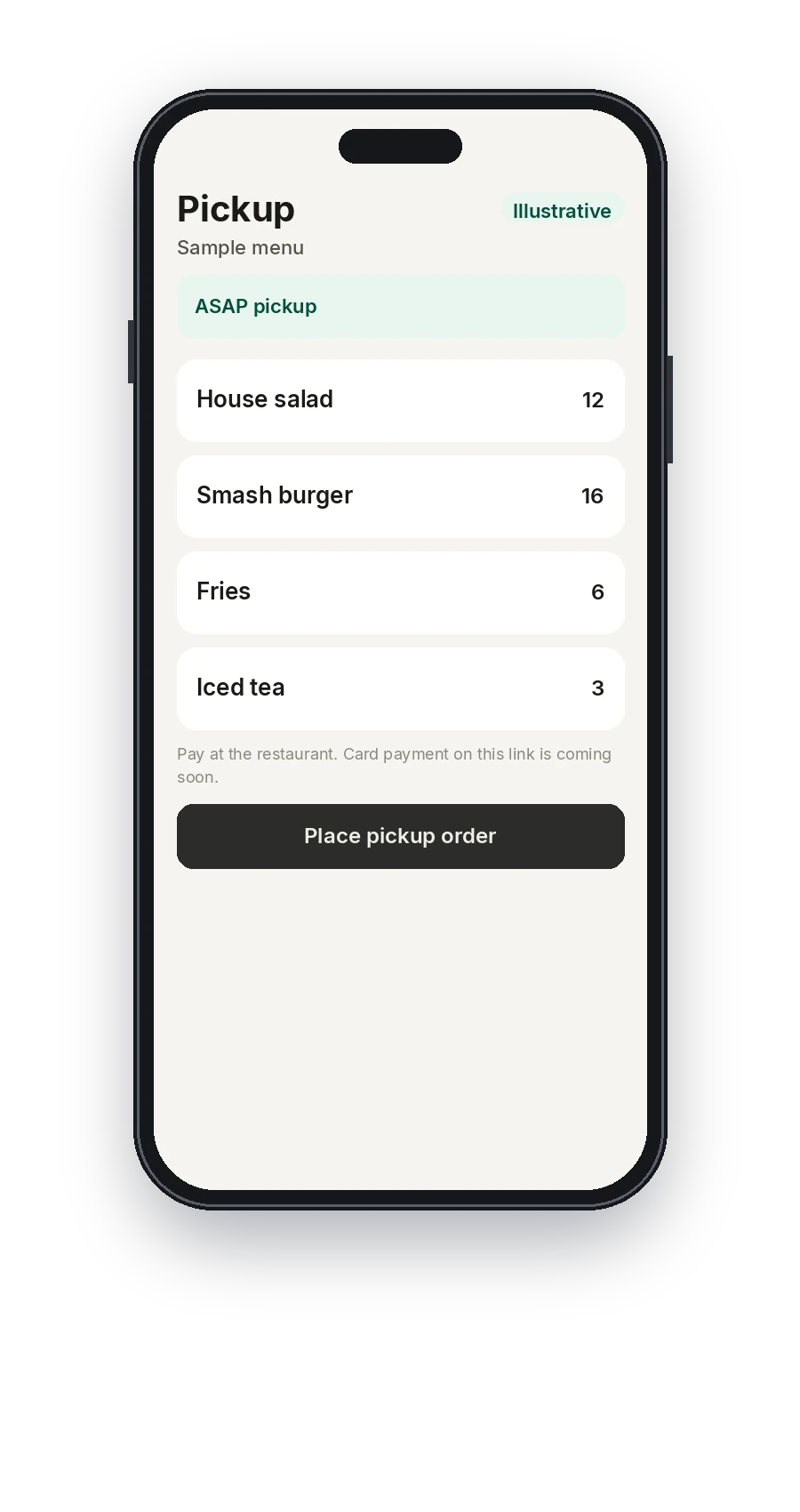
Illustrative · A sample pickup menu. Card payment on the link is coming soon.
On this product
What your staff actually uses
Your local Pivot team builds the menu and the configuration, then walks the staff through it.
A branded link
Your restaurant name and menu, on a branded link you can share with guests.
The menu from Back Office
The link uses the menu published from Back Office, so the guest is not looking at a second list someone has to retype.
Modifiers
Sizes, choices, and special instructions, priced the way the register prices them.
Pickup times
ASAP and scheduled pickup times. Your local team sets what the restaurant can promise.
Sent to the kitchen
The order is sent into the kitchen flow with counter and handheld orders.
How guests pay
Online card payments are coming soon. Until then, your local team will tell you how guests pay for an order placed on the link.
Coming soon
- Online card payments
- Saved customer profiles on the link for reorder and loyalty
In service
From the link to the line
The menu on a phone
Guests open the branded link and look through the menu your team published.
Choose a pickup time
They pick ASAP or a scheduled pickup time and send the order.
The kitchen receives it
The ticket is sent to the POS and the kitchen display your local team configured.
Connected platform
Online orders are still your orders
An order from the link uses the same menu and is sent to the same kitchen as an order from the counter.
- The link reads the menu from Back Office
- Online sales sit with the other orders in reports
- The kitchen display receives the ticket
- Online card checkout and saved guest profiles are coming soon
See the link on your menu.
Book a demo and a local Pivot team will show the ordering link and explain how guests pay today.